 Cloud Server for Business
We build secure cloud infrastructure for businesses. We migrate databases, corporate applications, and file storage without interrupting your business operations.
 We design infrastructure tailored to your business needs
We migrate data with minimal downtime
We provide ongoing server support after deployment
We protect your data with reliable backup solutions
Server Calculator
We design infrastructure tailored to your business needs
We migrate data with minimal downtime
We provide ongoing server support after deployment
We protect your data with reliable backup solutions
Server CalculatorYou can configure server resources yourself or receive recommendations based on the number of users.
Infrastructure
High-speed data transfer for business applications, websites, and corporate services.

Data centers in two locations, allowing the optimal hosting environment for your business and users.

Servers are hosted in data centers with backup power systems and professional climate control.

Our cloud platform is built on enterprise-grade HP servers.
About the Service
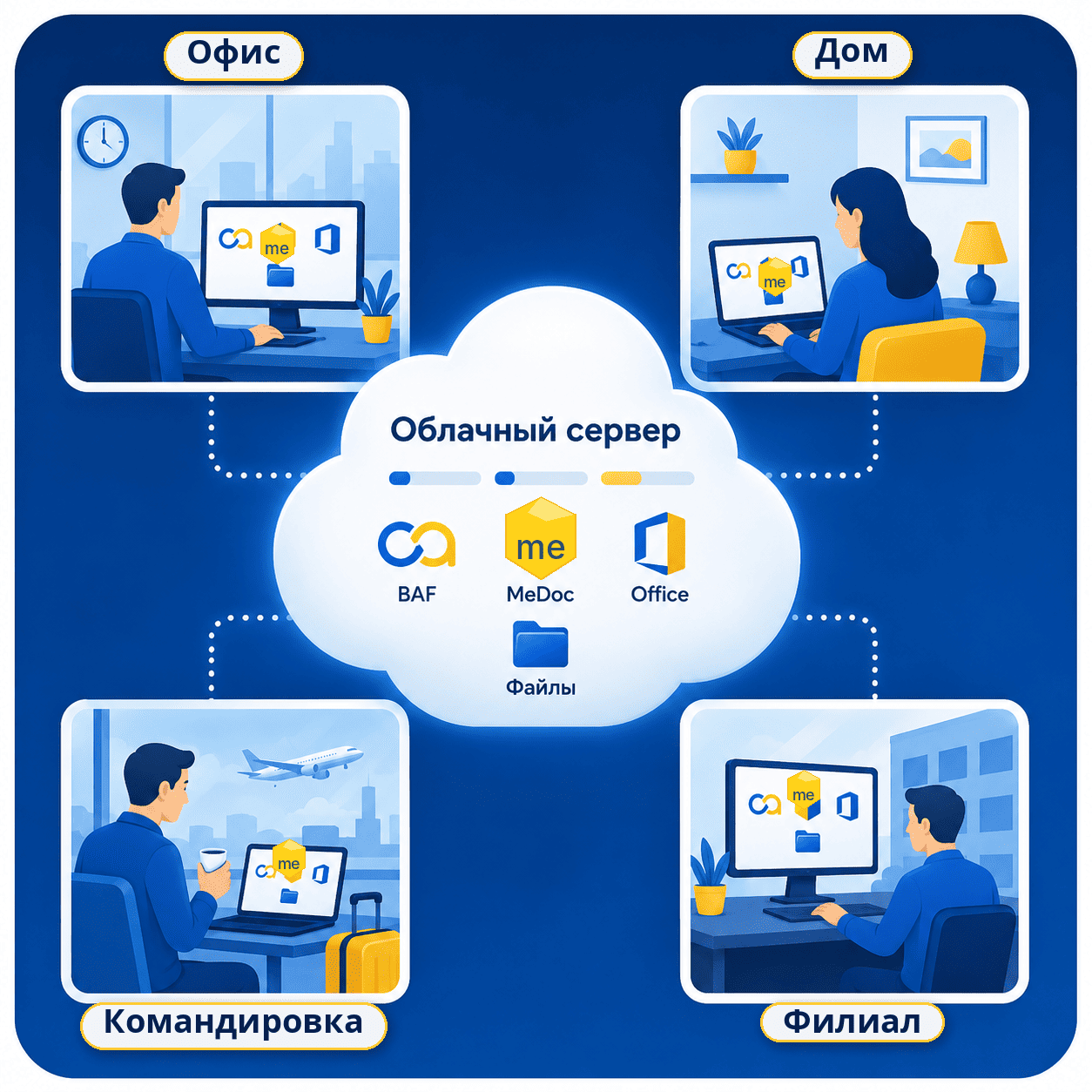
A cloud server enables centralized hosting of applications, files, and databases while providing employees with secure remote access to everything they need.
Businesses can organize collaborative and remote work, centralize data storage, and eliminate the need for an in-house server room or dedicated physical server in a data center.

Programs run on the server.
The server’s computing resources are used, not the user’s computer’s. This allows employees to work with resource-intensive applications even on low-power computers and laptops.
The user sees a remote desktop.
The image is transmitted to the device, and keyboard and mouse actions are sent to the server. It is possible to stream connections from disks or flash drives connected to the user’s PC.
Works like a regular computer.
Shortcuts to installed programs are placed on the desktop. Working on a remote desktop is similar to working on a regular PC and requires no additional user training.
Important: A stable Internet connection is required for comfortable operation. With an unstable connection, screen updates may be delayed or temporarily freeze.
Compatibility
Google Chrome, Microsoft Edge, Mozilla Firefox, Telegram Desktop, Viber.

Microsoft Office: Word, Excel, Outlook, PowerPoint, Access; LibreOffice; ONLYOFFICE; Adobe Acrobat Reader.

BAF, ND-Office, M.E.Doc, FREDO, ArtZvit, Client-Bank systems.

IIT User, CryptoLib, Accredited Key Certification Center (ACSK IDD STS), Diia.Signature components, Almaz-1K, Crystal-1, and SecureToken token drivers.

Checkbox, Vchasno.Kasa, Cashalot, State Tax Service PRRO, Poster.

LIGA:ZAKON, software for notaries, government registries, electronic marketplaces, and tender platforms.

AutoCAD, Revit, ArchiCAD, Civil 3D, KOMPAS-3D, SolidWorks, SketchUp.
Limitations: Applications for audio and video calls, video streaming, or video editing may have limited functionality and require a separate compatibility assessment.
WorkflowLaunch the prepared remote connection file.
Enter the personal username and password provided by the administrator.
Access your desktop with all applications, files, and databases ready to use.

The personal workspace contains shortcuts to installed programs and standard folders that are only accessible to the user.
You can copy text and files between your local computer and the server. If required, clipboard access and file transfers can be restricted.

A shared directory is created on the server, accessible to company users. This directory can be used to store documents and create separate folders for collaboration.
Individual access rights can be configured for each folder. For example:
Data Protection
Architecture


 Real-World Examples
Pricing
Real-World Examples
Pricing


Flexible Scaling: Server resources can be increased or reduced at any time through our technical support team.
Deployment & SupportWe calculate the required configuration, install the selected operating system, and provide administrator access credentials.
We prepare the server for production, install the required software, create user accounts, and migrate your data.
We monitor the server operating system and assist users with their day-to-day work.
The scope of work is tailored to your server roles and software environment.
Technical support pricing is calculated individually based on the number of users, applications, server roles, and the expected scope of work.
eave your contact details. Our specialist will discuss the number of users, required applications, and data volume, then recommend the optimal server configuration and migration plan.


