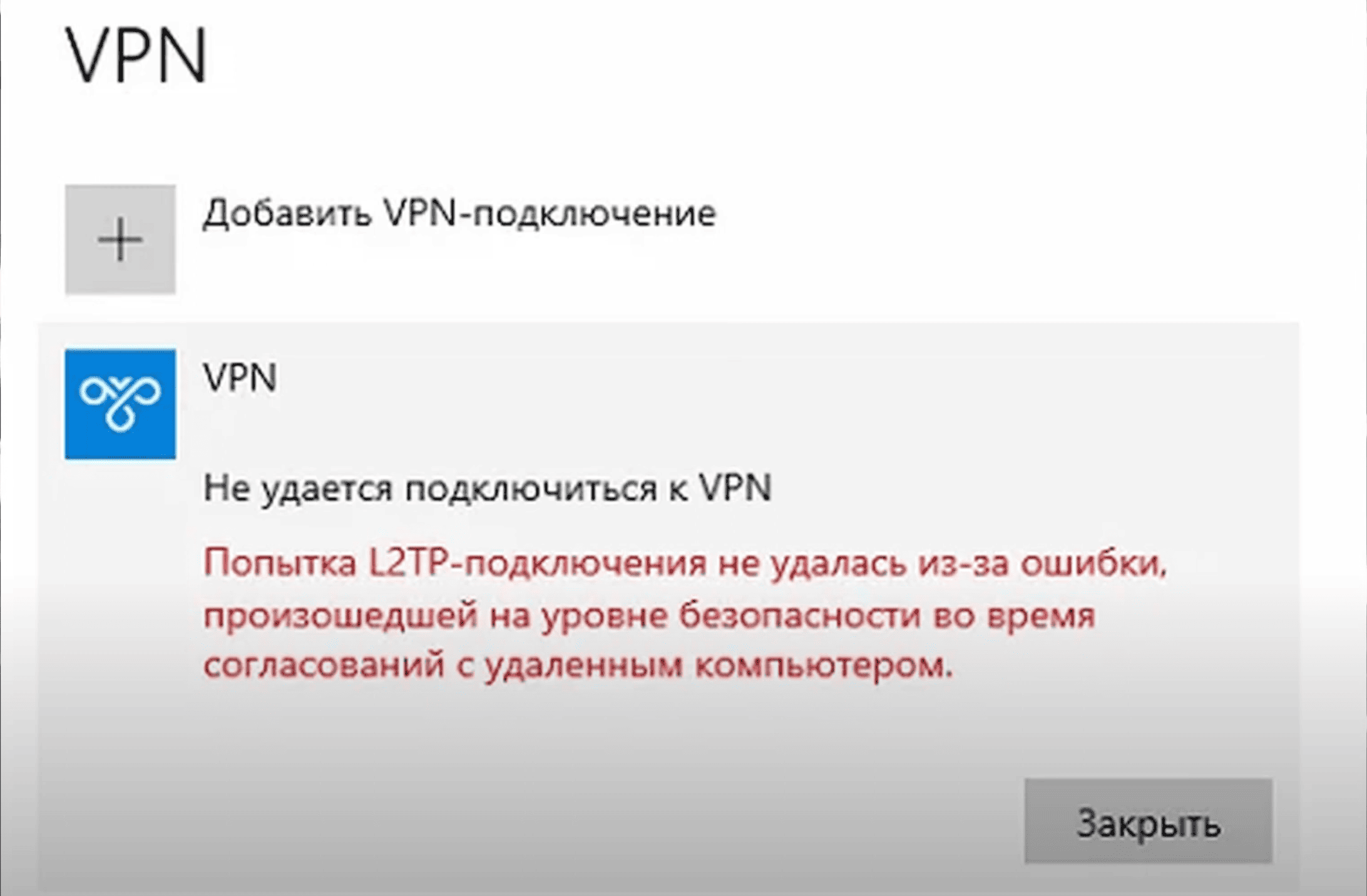
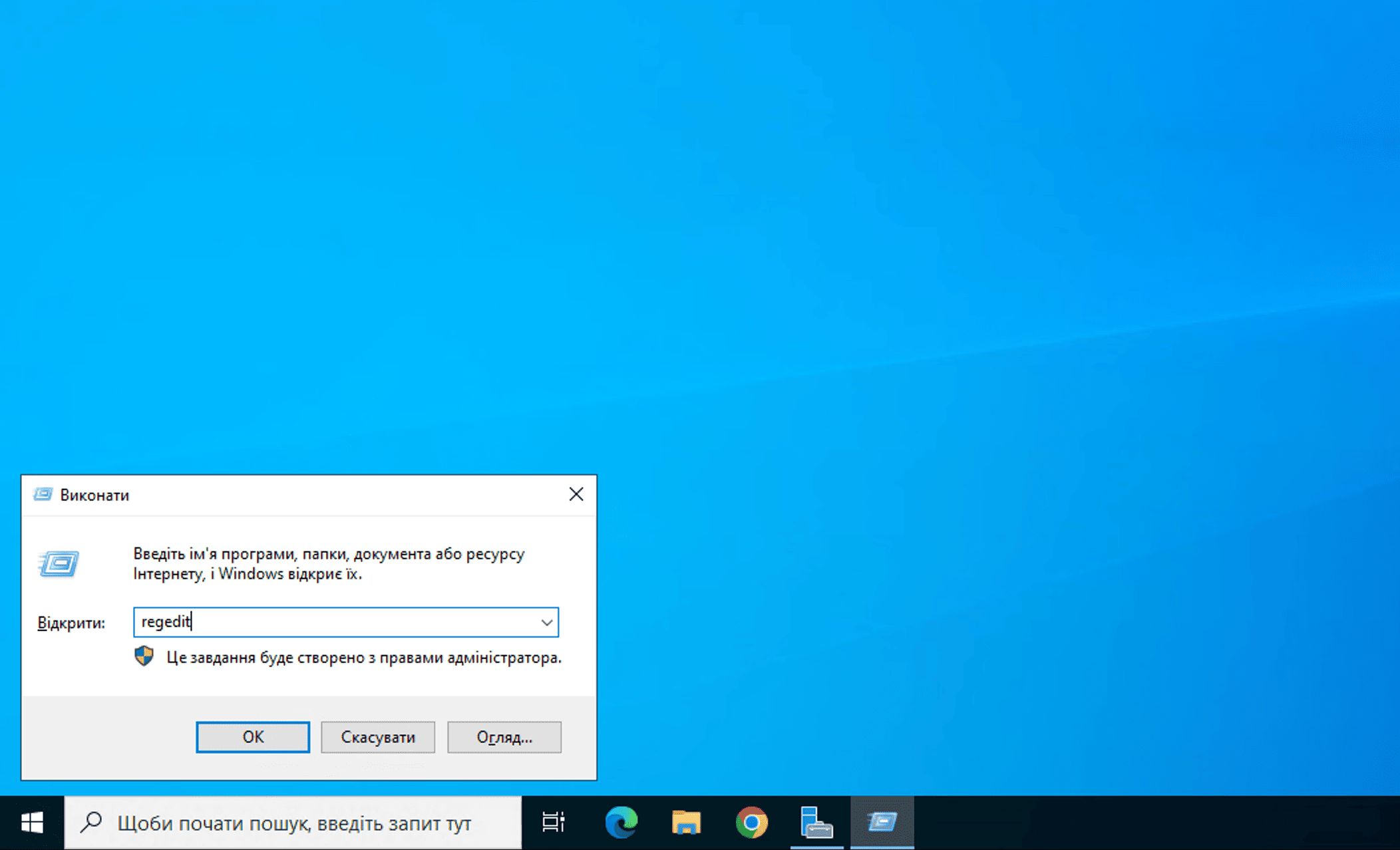
To resolve the issue, you need to edit the Windows Registry. To do this, open the Registry Editor by pressing Win + R, typing regedit, and clicking OK.
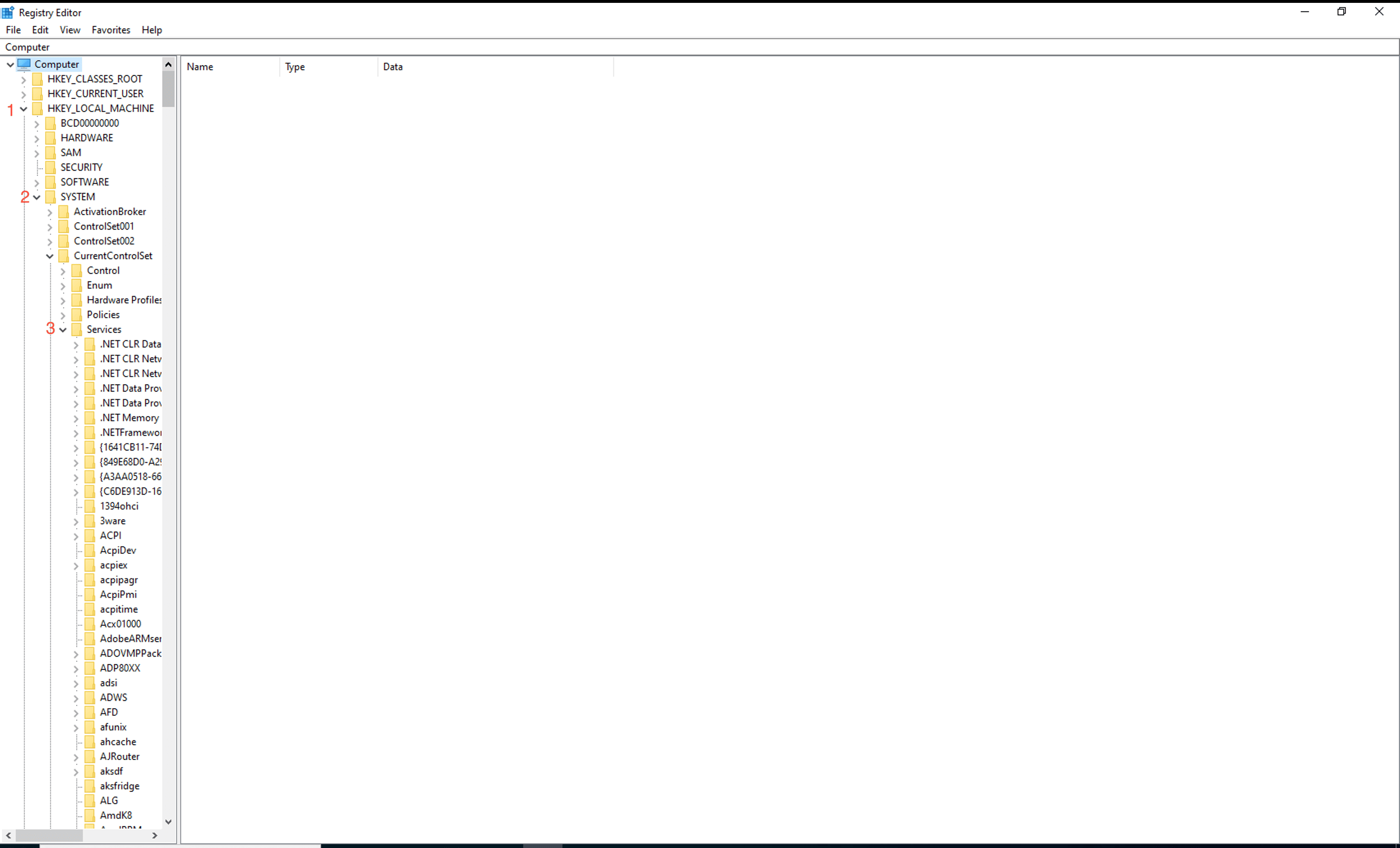
In the Registry Editor window, navigate to the following path:
HKEY_LOCAL_MACHINE\System\CurrentControlSet\Services\Rasman\Parameters
Expand the tree.
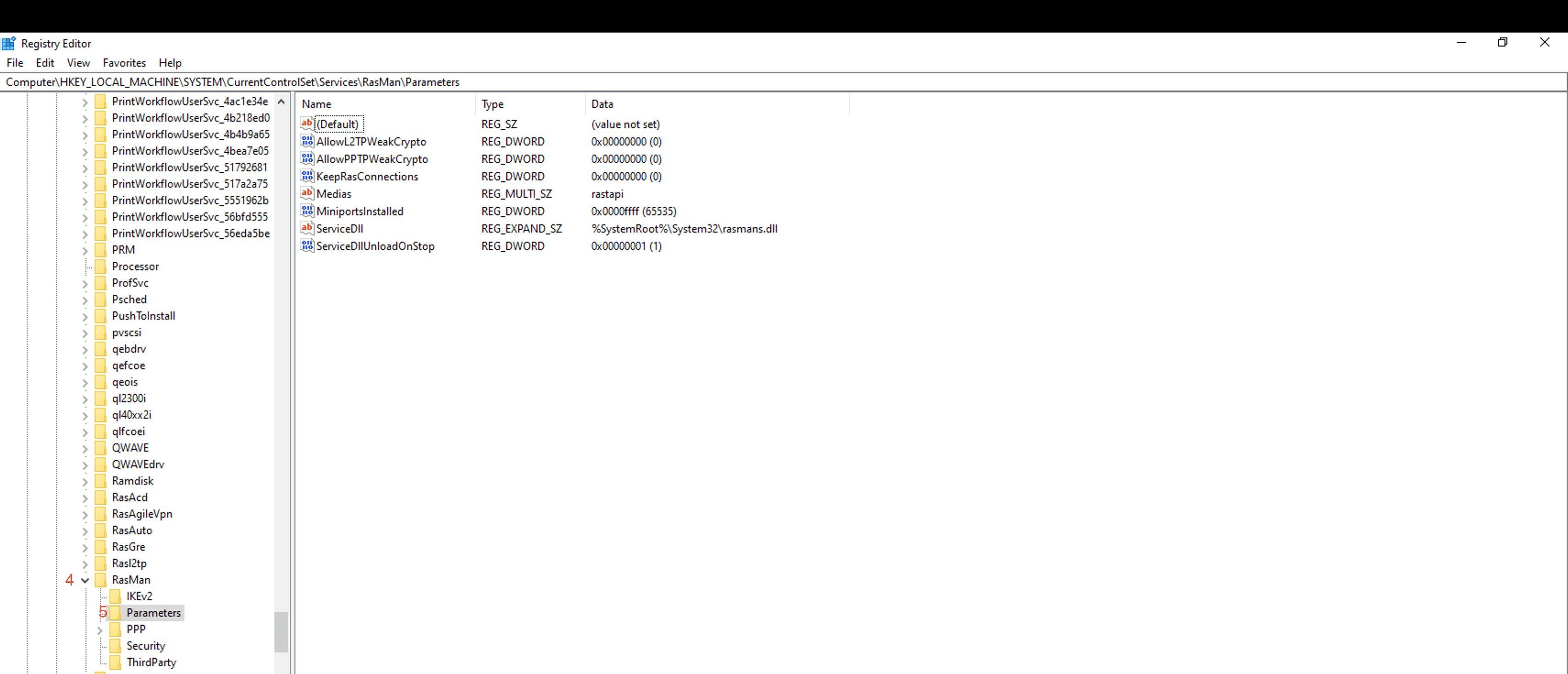
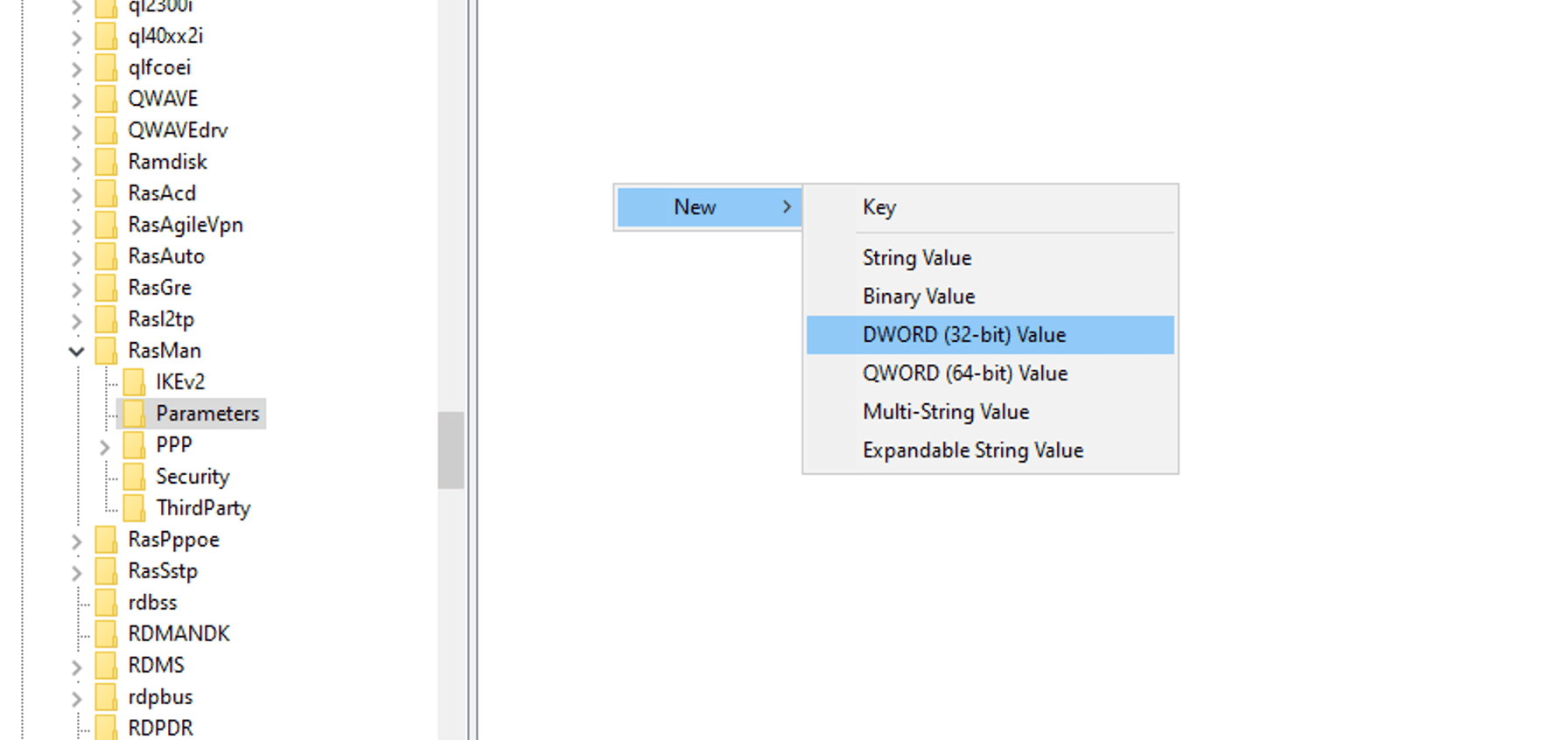
Then, in the right-hand pane, right-click in the empty space and choose:
New → DWORD (32-bit) Value
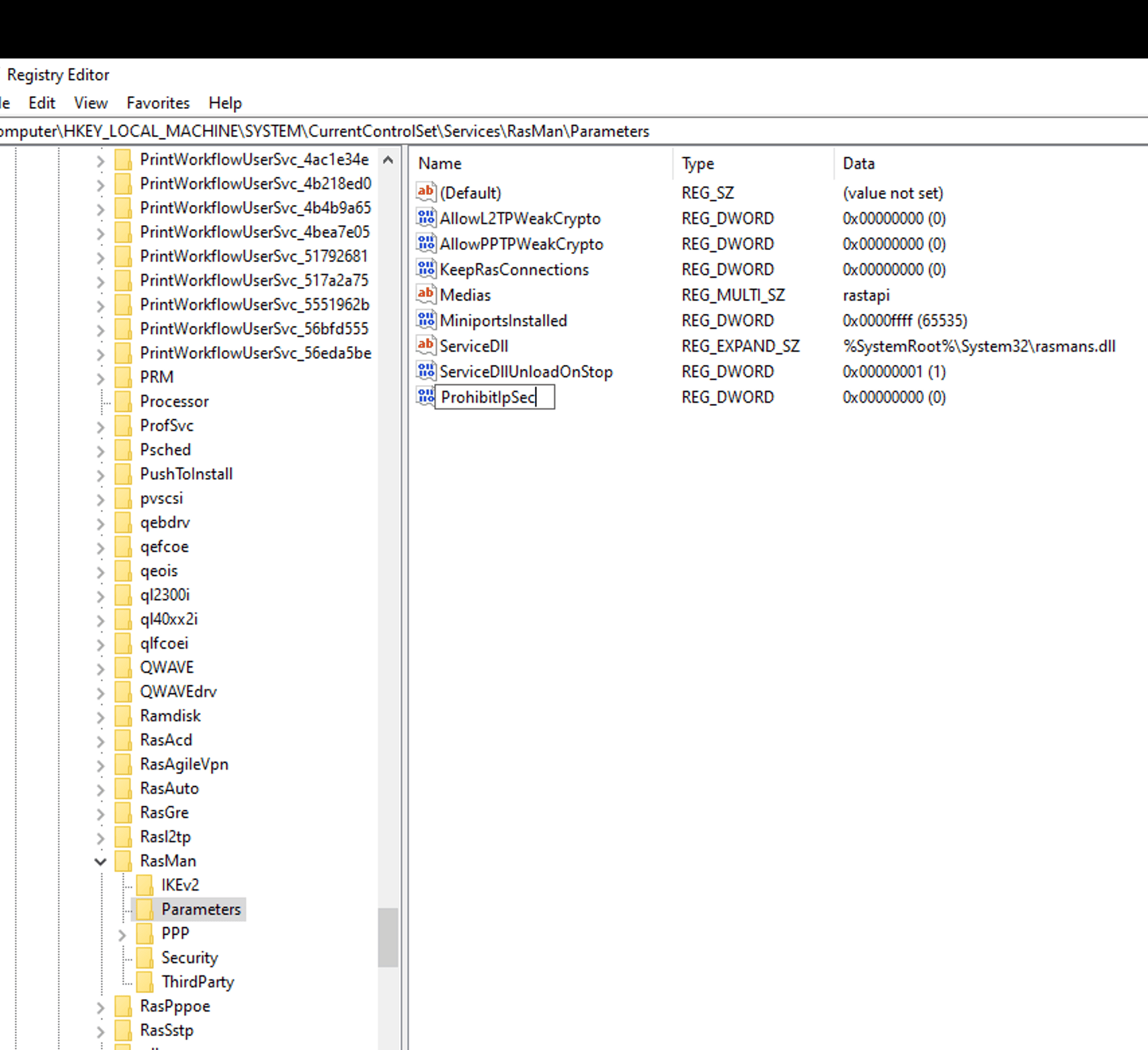
Name the parameter: ProhibitIpSec
Double-click the new parameter and set the value to 1.
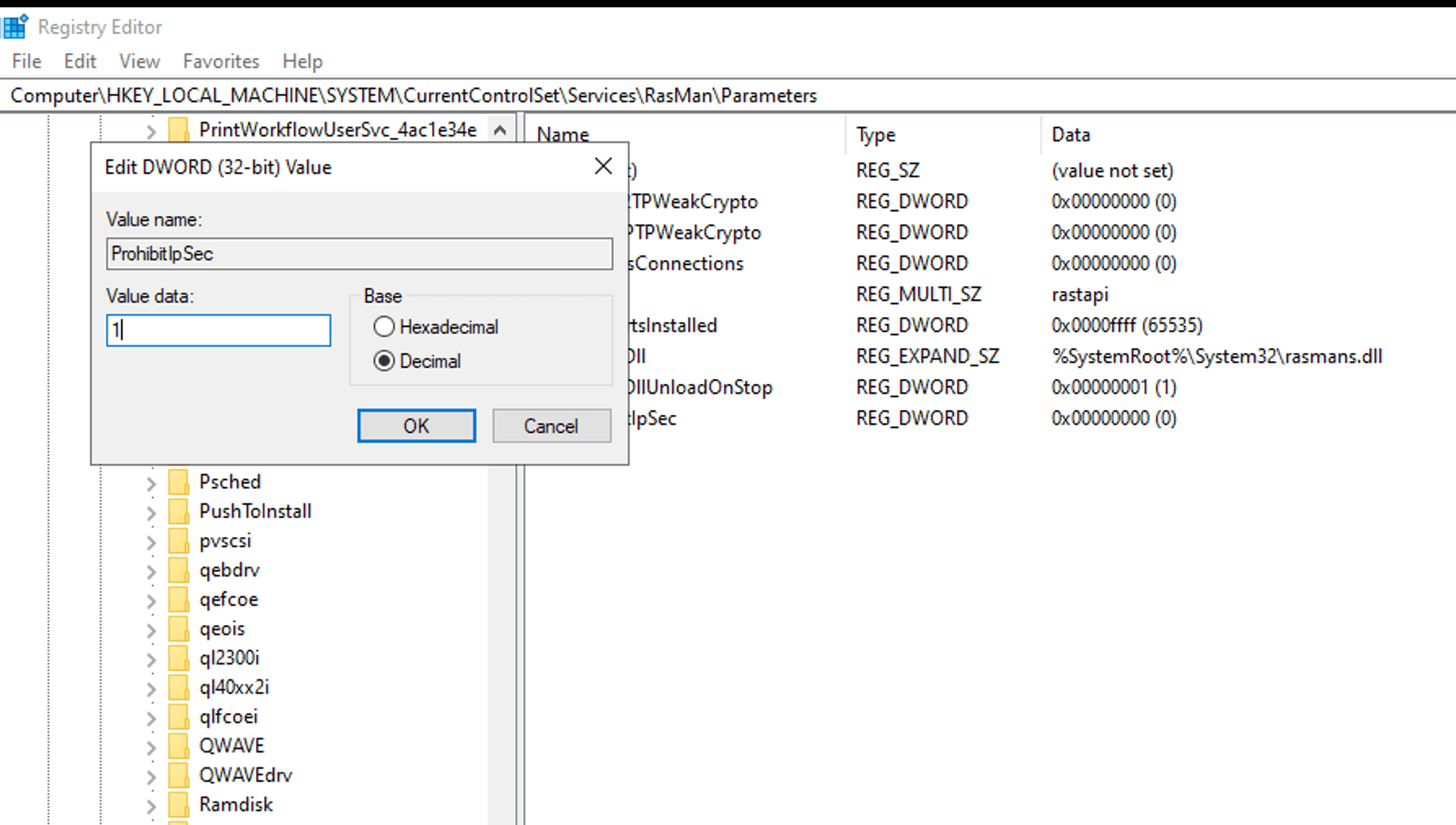
Then click OK.
After that, restart your computer.
If this does not resolve the issue, you should modify the key AllowL2TPWeakCrypto by changing its value from 0 to 1.
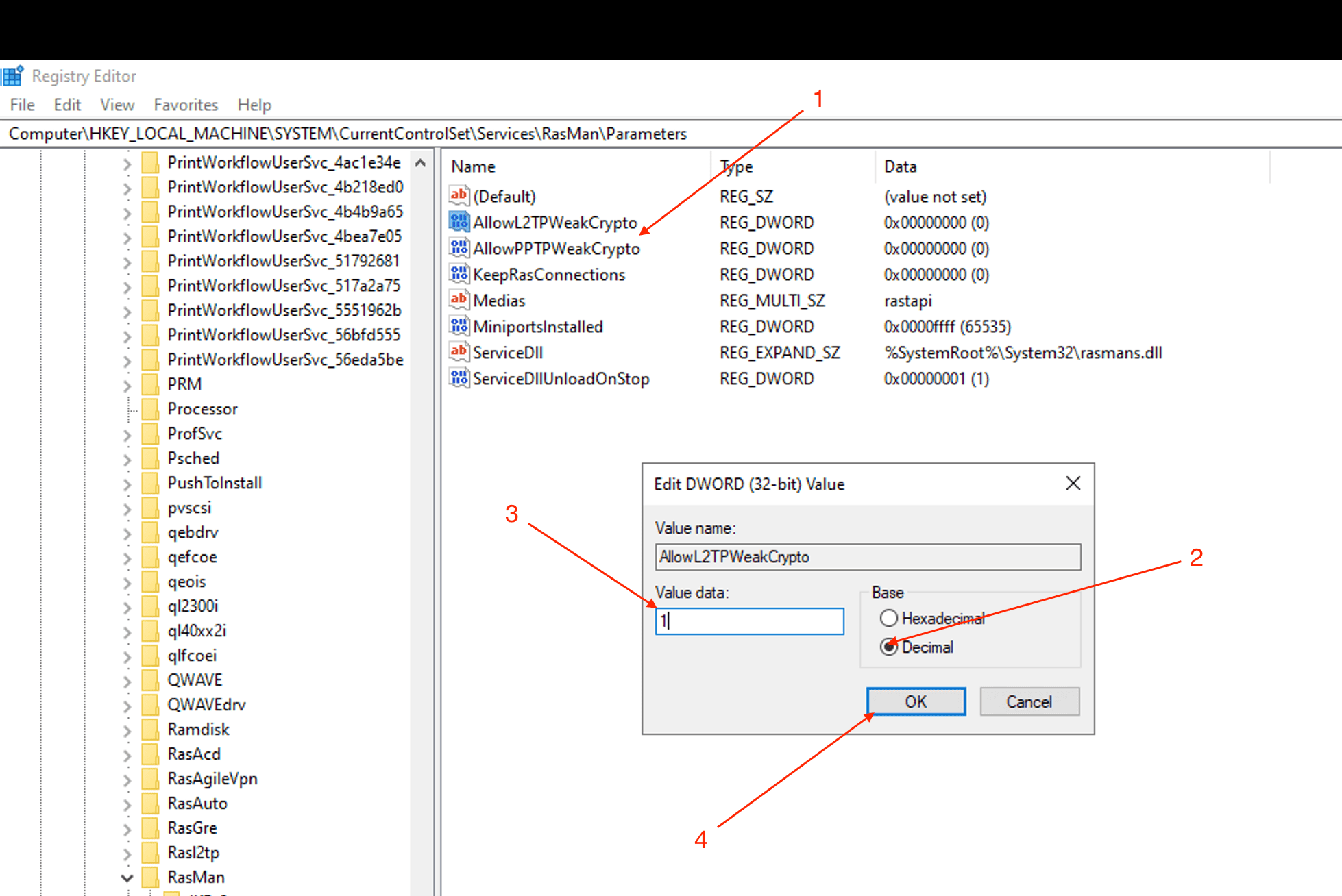
And restart your computer again.
 Статті
 Properly ending an RDP session
Configuring time synchronization on a domain controller with an NTP server
Properly ending an RDP session
Configuring time synchronization on a domain controller with an NTP server